Hey,
it’s crazy how fast generative AI is evolving, and what is possible today that wasn’t really possible a year ago.
I started using Claude Code in January this year, which was a real game changer. I don’t think I can ever go back to a life without it.
One great benefit I see is that everybody can build their own software. Customized to what you really need, and not something somebody else builds that you then have to learn. If you are unhappy with where a button is placed, move it. If you don’t need a functionality, remove it. If you need one, add it. It’s really easy to do with a tool like Claude Code (there are others but I prefer Claude for various reasons).
To show you what I mean, I have published two tools on the website. They are free, so you can just try them.
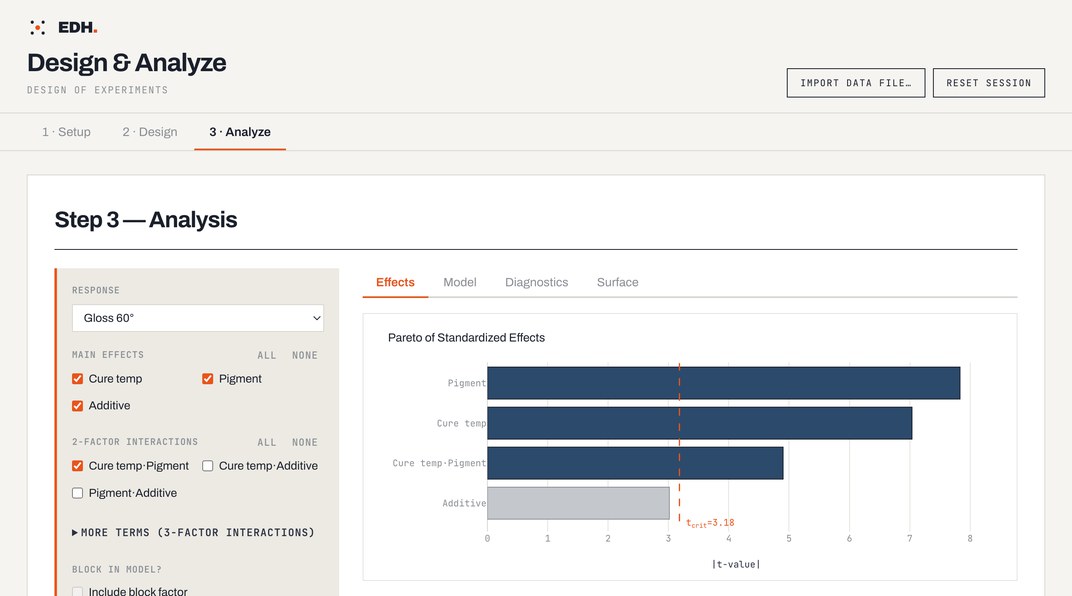
A small DoE software tool
It lets you generate and analyze experimental designs. I deliberately kept it simple, because I think most DoE software comes with way too much functionality that 90 percent of people don’t need and is just confusing, especially when you are new to DoE. I created it mostly for my teaching activities at Esslingen University, but then thought, why not make it accessible to everybody.
A delamination calculator
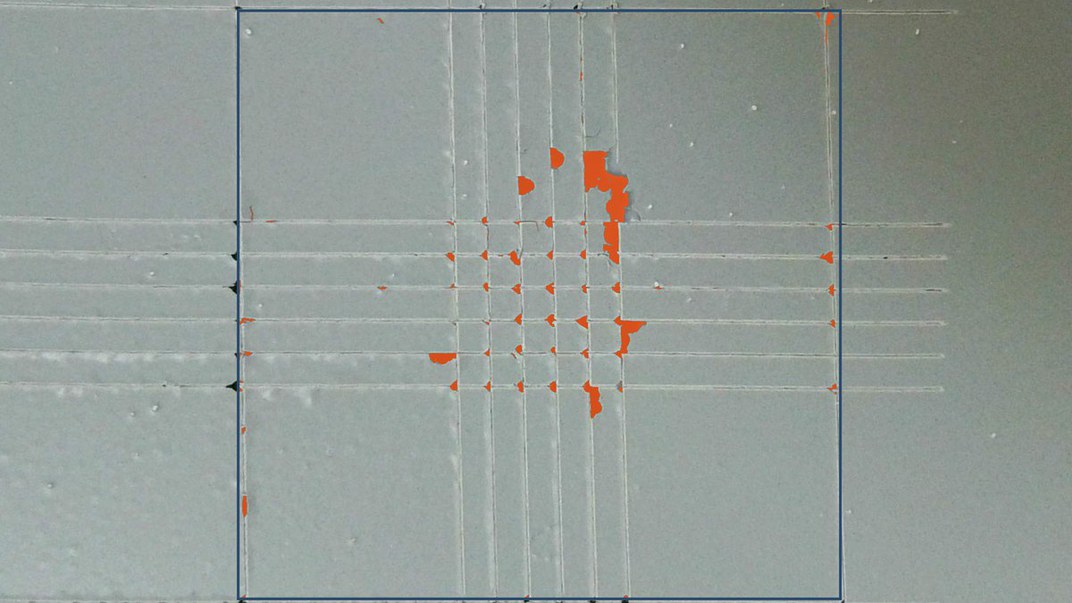
You upload an image of a cross-cut, for example, tell the tool what part of the photo is substrate and what is coating, and it calculates the percentage of delamination based on the area you specified. I created it for my work at HOBUM, to make the evaluation less subjective. I think it turned out pretty well and it helps me a lot. Maybe it’s helpful to you as well, or maybe it’s just an inspiration for tools you can build yourself.
Try the delamination calculator →
It has really become easy to build basically any software tool you need, the way you need it. And this is only the beginning, I think.
What comes next: generative UI
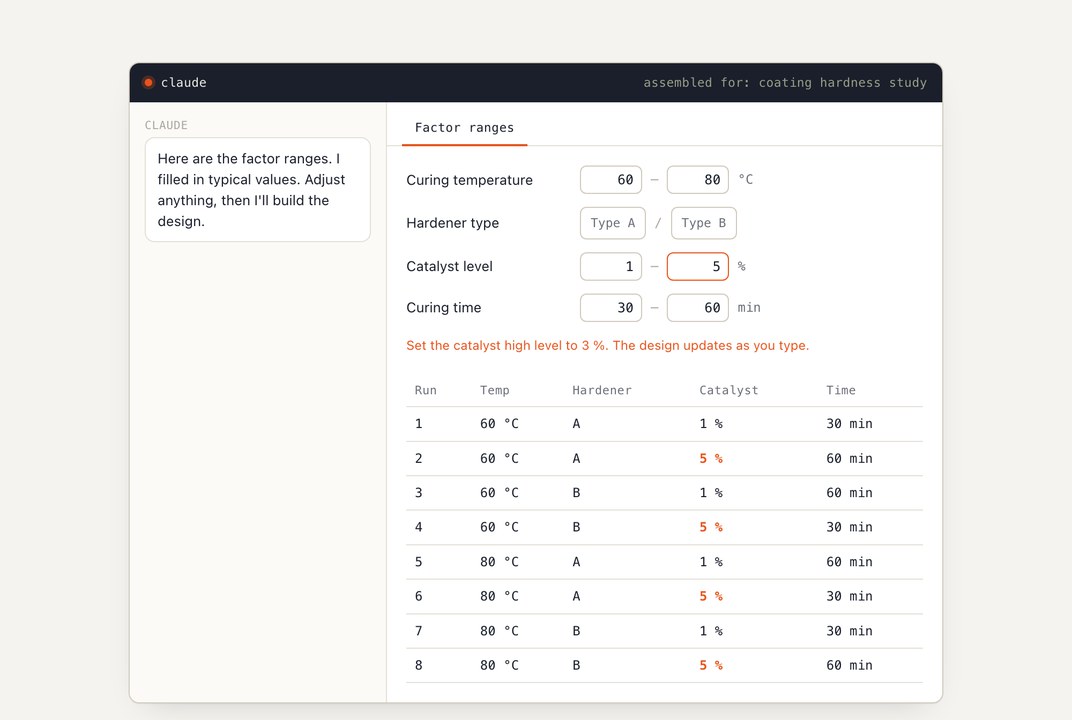
The next step is what I write about in my current essay. It’s called generative UI, and it is a combination of a chat interface and a user interface that an AI agent builds on the fly for you.
I have basically built my whole workflow at HOBUM around an AI agent that does most of the work for me now. I only tell it what to do, and that is by voice. It works great, but for some things voice is just not the perfect interface, and it would be faster to change something myself. Generative UI is the combination of both: you speak, and you get a generated user interface you can click around in. Since the agent builds it on the fly, it’s exactly what you need in that moment. Built for you.
The summary
That’s it. I think the summary would be that we should create a lot of customized software. Software that only you, or maybe only your team, uses. Another person might use the same type of software, but with a different design that fits their purpose better.
If you want, let me know what you think about all this. You can just reply to this email, or write to me any time.