Tutorial 01
Install Claude Code
A quick installation guide
First
You need a paid plan
You need a Pro, Max, Team or Enterprise plan if you want to use Claude Code. The free plan does not include it. The Pro plan is enough to get started and you can always upgrade later.
See the plans → Step 01 macOS
Install Git
Macs usually come with git preinstalled. So you don’t need to do anything here.
Git records every change Claude makes, so you can undo any of them.
Step 01 Windows
Install Git
Open the Git download page →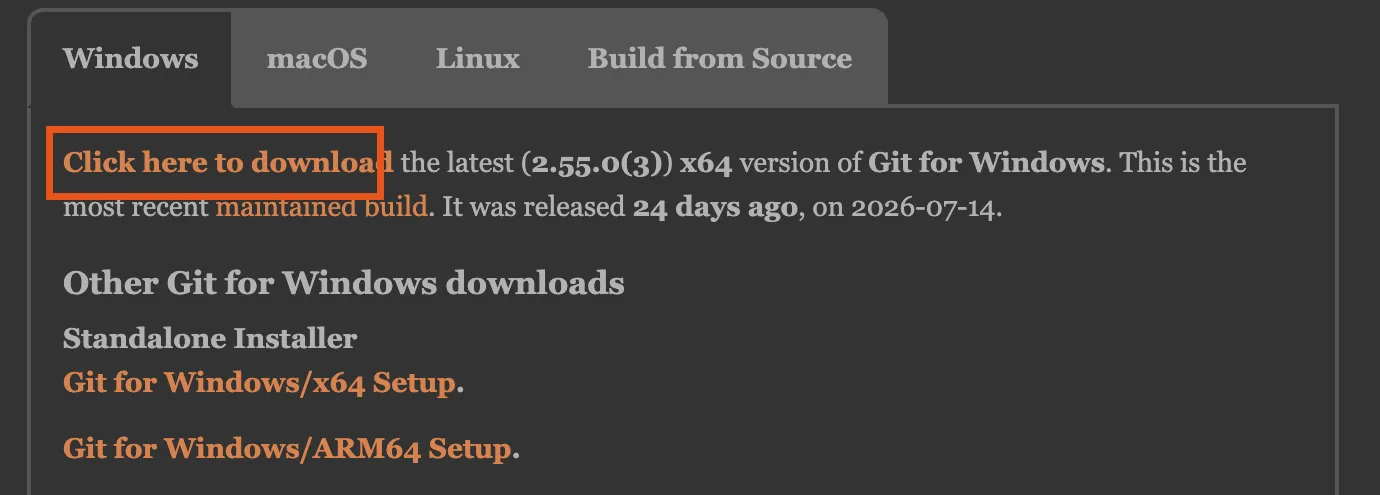
Use the link at the top.
Just accept the default settings.
Git records changes Claude makes on files on your computer. It’s required to have it installed. Otherwise Claude Code will not work.
Step 02 macOS
Download Claude
Download Claude for Desktop →
Claude's download page. Take the macOS build.
Step 02 Windows
Download Claude
Download Claude for Desktop →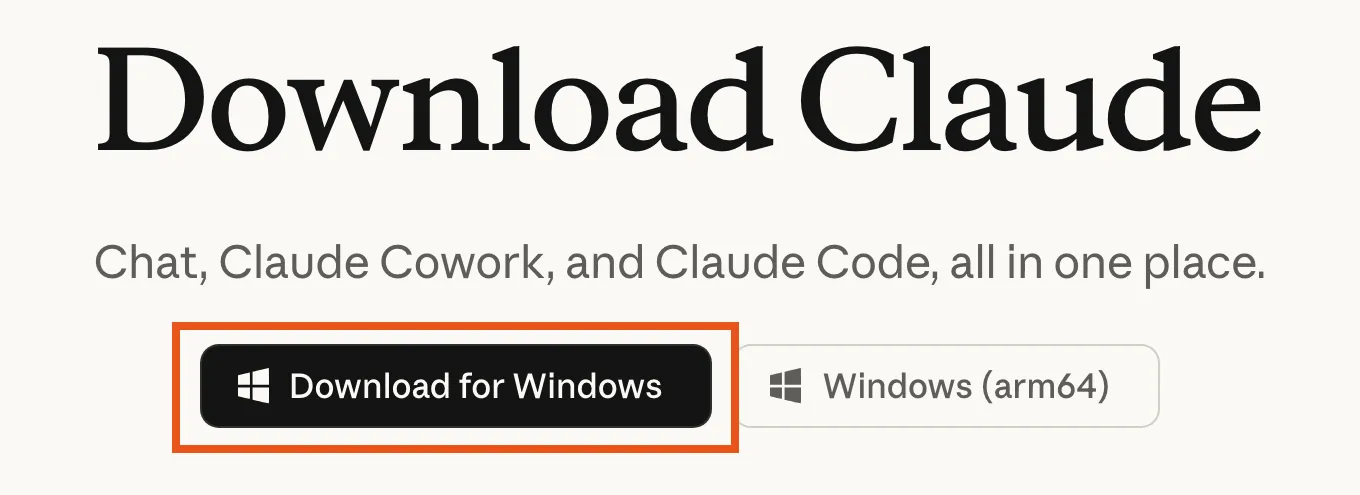
Claude's download page.
That's it
Steps last checked 2026 · 08 · 06. If one no longer matches what you see, tell me.